/// THE 2.4 GHZ FOOD FIGHT
The 2.4 GHz food fight
Why 2.4 GHz wifi gets worse at night, why 1, 6 and 11 are the only channels worth using, and why moving everything to 5 GHz is not the answer either.
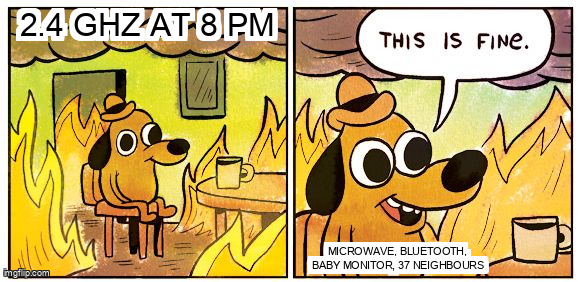
Your wifi is fine at 8am and unusable at 8pm. Nothing in your house changed. The band did. 2.4 GHz is shared with microwaves, Bluetooth, cordless phones, baby monitors, Zigbee and every neighbour’s router, and it has three usable lanes.
Three lanes, thirteen labels
The band runs from 2.400 to 2.4835 GHz. Channels are numbered 5 MHz apart, but a 20 MHz wifi channel occupies four of those gaps. That is why 1, 6 and 11 are the only non-overlapping choices in the common plan: each takes a 20 MHz slice, and they just touch at the edges.
Channels 2 to 5 overlap 1 and 6. Channels 7 to 10 overlap 6 and 11. Every network on channel 3 is spraying energy into two of the three lanes and calling it a plan.
Same channel versus next door
Two access points on channel 6 share the lane. They take turns through carrier sense, the same polite rule that stops two people talking at once on a walkie-talkie. Your throughput falls because you are sharing airtime, not because the signal is weak. The bars stay full while the speed dies.
Adjacent channel interference is nastier. Energy from channel 5 leaks into channel 6, but the two radios are not coordinating turns. You get retries, jitter and mysterious dropouts while your own signal still measures strong. Most people read that as a bad router. It is usually a bad channel plan.
The beacons you pay for
Every access point beacons about ten times a second, whether anyone is using it or not. Beacons are management frames announcing the network: name, capabilities, timing. Ten neighbours means roughly a hundred of those per second before a single byte of your traffic is sent.
2.4 GHz has fourteen channels and all of them are partly shared. The band is never quiet. That overhead is the part people miss when they count “only three networks on my channel” and still get bad performance. Data is not the only thing competing for airtime.
The microwave is real
Old microwaves leak around 2.45 GHz, right in the middle of the band. So do cheap LED drivers, underpowered USB 3.0 ports and some switching power supplies. The symptom is specific and almost funny once you spot it: wifi dies only while one appliance runs, and recovers when it stops.
Walk around with a laptop and watch the noise floor while the microwave runs. If the noise jumps ten decibels, you have found the culprit and no channel change will fix it. Move the access point, or replace the appliance.
Bluetooth shares this band and hops constantly. Zigbee and many smart home radios live here too. A desk full of wireless gadgets can make both your wifi and your headphones worse.

Why 5 GHz is not automatically the answer
5 GHz has far more channels and much less clutter. It also has shorter range and worse wall penetration, and DFS channels can vanish for minutes when radar is detected. For a phone in the same room, 5 GHz wins easily. For a sensor in the garden, 2.4 GHz may be the only thing that reaches at all.
6 GHz is cleaner still and shorter still. Same trade, one band up. The useful rule is per device: fixed things close to the access point go on 5 GHz, distant things that only need a trickle of data stay on 2.4.
What to do
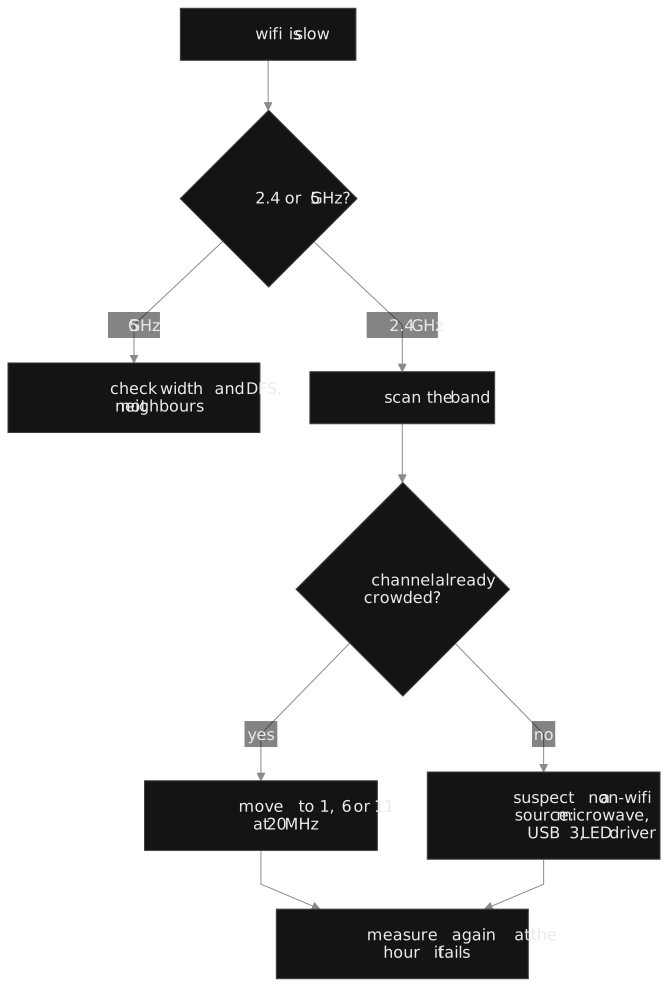
- Scan before you pick. The app’s “best channel” is the least busy one right now, and that changes by the hour.
- On 2.4 GHz, use 20 MHz width and stick to 1, 6 or 11.
- Turn transmit power down. A loud access point creates sticky clients and interferes with everyone else, and roaming gets worse when the signal is loud enough to hear from three rooms away.
- Do not use 40 MHz on 2.4 GHz. You occupy two lanes to gain a little speed you will lose to retries.
- Put the TV, laptop and console on 5 GHz and leave 2.4 for the devices that need range.
- If one appliance kills the band, move the access point before you buy anything.
The measurement that settles it
Speed tests lie because they run for ten seconds in a quiet moment. Watch the noise floor and the retry count over an hour, at the time of day the problem happens. If the noise floor moves, the problem is interference. If it does not and the retries climb, the problem is airtime. If neither moves, the problem is upstream and you have been debugging the wrong layer.
The frame overhead and the join process are covered here. This post is about the weather in the band, and the weather is mostly other people.