/// YOU CLICKED "ACCEPT ALL." HERE'S WHAT YOU JUST AGREED TO.
You Clicked "Accept All." Here's What You Just Agreed To.
A beginner's guide to cookies, trackers, and the consent banner you click without reading, including what "Accept All" actually turns on.
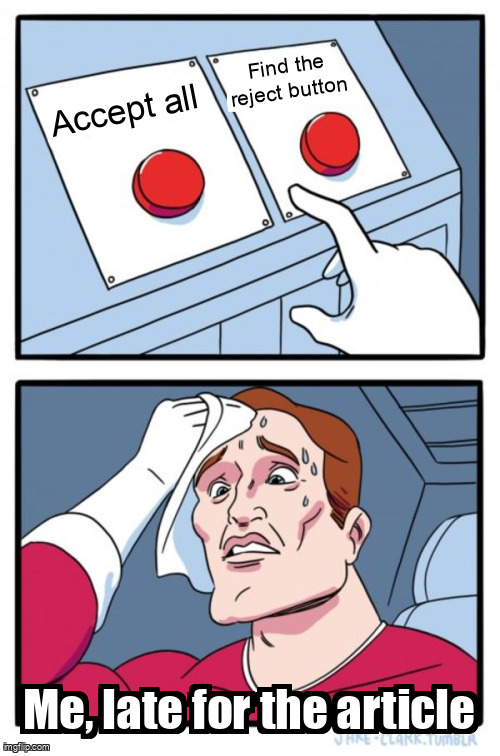
Somewhere on the page, a banner is waiting. It has two buttons. One says Accept All. The other says Manage Preferences, which is less a button than a threat with a font and a legal department.
You click Accept All because you want to read the article. You have now agreed to a data-processing arrangement involving companies you have never heard of, in countries you cannot point to on a map, for purposes described in a document written by someone paid by the word. The document is longer than the article. It is longer than the article’s source code. It may be longer than your attention span, which is currently being held together by caffeine and a deep-fried burrito with a death wish.
A chimichanga is a burrito that made one bad decision and doubled down. It is the comic book retcon of food: the original was fine, but someone decided it needed a darker, greasier origin story. This is not relevant. It has never been relevant. That has never stopped me.
Short version: cookies are name tags, trackers are the people who copy them, and the banner is a permission slip written by the company that benefits from your yes. Also, if you are reading this on a phone, your thumb is doing more privacy work than most governments. Anyway.
The cookie is not the villain
A cookie is a small piece of text. A website’s server sends it to your browser with a name, a value, and a few rules. Your browser stores it and sends it back on later requests to the same site. That is the entire mechanism. A cookie is a name tag. By itself, it cannot read your files, install software, or turn on your webcam. If a website tells you cookies are dangerous because they are “small files,” ask why the same website needs a drawer full of them before showing you a recipe. That is not a cookie problem. That is a hoarding problem.
Cookies do useful work. They keep you logged in and remember your cart. They remember that you chose dark mode. Without them, every page load would treat you like a stranger, which is rude, but also the internet’s default setting. The internet is the guy at the party who forgets your name every time you leave the room.
Cookies fall into a few rough groups:
| Type | What it remembers | Who usually sets it |
|---|---|---|
| Essential | Login session, cart, security token | The site you are visiting |
| Preferences | Language, theme, region | The site you are visiting |
| Analytics | Pages visited, clicks, session length | The site or a vendor |
| Advertising | Interests, retargeting, cross-site profile | Ad networks and data brokers |
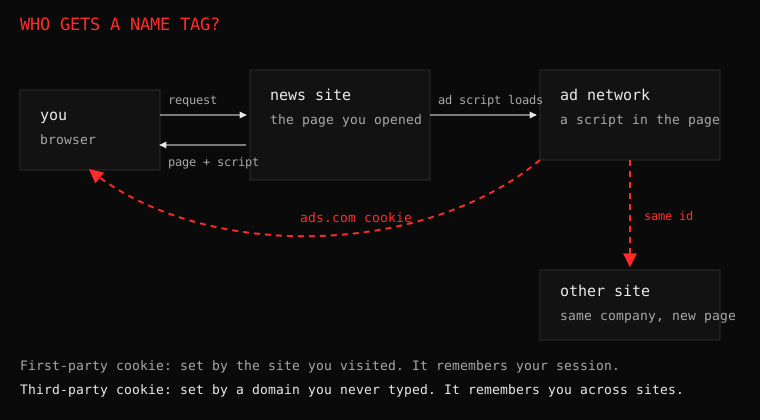
A first-party cookie belongs to the site you are visiting. A third-party cookie belongs to a different domain whose script is embedded in the page. The first-party cookie is the site’s own name tag. The third-party cookie is a stranger at the party who copies your name tag and follows you to the next party. You did not invite him. He brought a clipboard and a business card that says “synergy.”
A tracker is a stalker with better paperwork
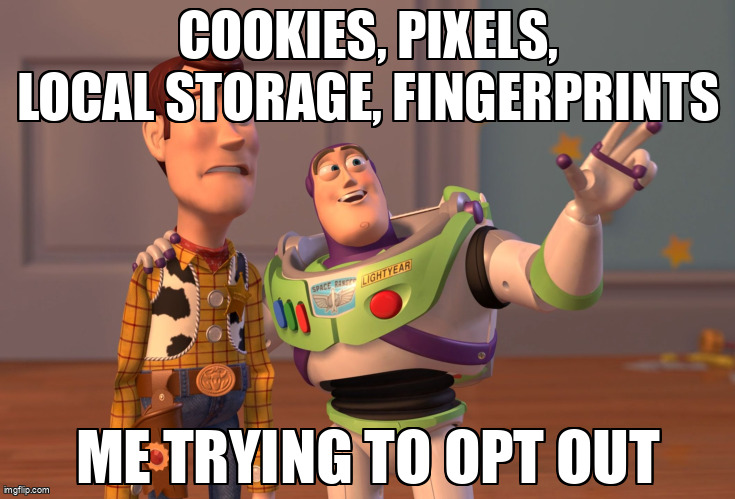
Tracking is not always a cookie. A tracker is any mechanism that recognizes you across requests, pages, or sites. It can be a cookie, a pixel, a script, a local storage entry, a device fingerprint, or a server-side record keyed to your email. Cookies are the oldest and most famous example. The tracker does not care which method it uses. It cares that the method works. It is the 80s action movie villain of the internet: it has a plan, a backup plan, and a guy in a van.
A tracking pixel is a one-pixel image. You never see it. Its only job is to load, which tells the server that you opened the page. A tracking script can read your screen size, timezone, language, fonts, and how you move your mouse. Session replay tools record clicks and scrolls, and sometimes keystrokes, often masked but not always. Fingerprinting combines enough small details to recognize you even after you clear your cookies. Blocking cookies is like locking the front door while someone takes notes through the window. And the window is a CRT TV from 1994 that someone forgot to turn off.
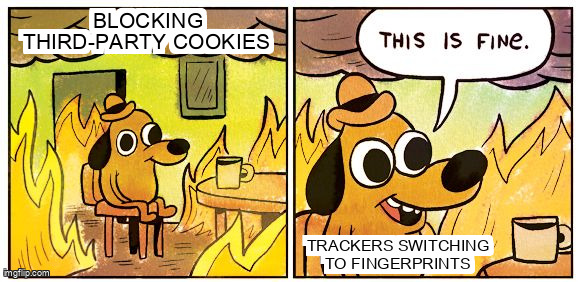
This is why “just block third-party cookies” is good advice but incomplete. Some browsers block them by default now, so trackers lean harder on fingerprints and server-side matching. The cookie jar got locked, so the industry bought a camera. This is the same energy as a sequel that brings back the villain because the studio ran out of ideas.
Why the banner exists
In Europe and the UK, the law generally requires consent for non-essential cookies. Other places have their own rules, and some have almost none. Websites often show the same banner everywhere because it is easier than building a different experience for every country. This is the same logic as a 90s sitcom clip episode: cheaper to reuse the footage than write a new script.
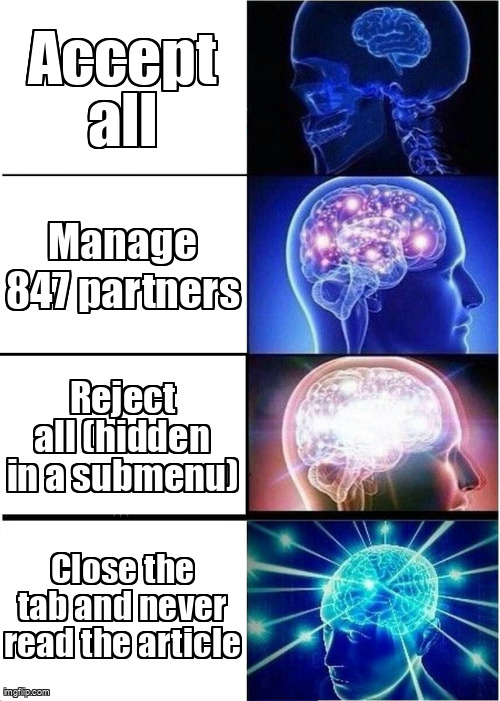
The banner is supposed to give you a choice. In practice, it gives you a nudge. Accept All is bright and large. Reject All is small, grey, or hidden behind Manage Preferences. Manage Preferences sometimes has hundreds of toggles and a Save button that quietly accepts everything anyway. The result is an obstacle course with a prize at the end. The prize is an ad for a mattress you looked at once in 2019.
A field guide to the buttons:
- Accept All turns on everything, including the parts you did not know existed. Some of those parts have names like “partner” and “affiliate” and “our trusted third-party ecosystem,” which is a fancy way of saying “other companies.” It is the all-you-can-eat buffet of data. You will not finish the plate. They will.
- Reject All is the one you want. Sometimes it exists. Sometimes it appears only after you scroll past a testimonial from a happy customer. It is the secret level in a video game. You need a walkthrough to find it.
- Manage Preferences is a maze of vendors. Bring a snack. Consider a will. It is the 90s point-and-click adventure game of consent, except the puzzle is designed by the villain.
- Continue without accepting usually means some things still load, just not all of them. It is the “I’m not dating, I’m just talking” of consent banners.
- Legitimate interest is a legal category sites sometimes use to justify some tracking without a click, depending on where you live. It is the loophole with a suit. It is the comic book retcon of privacy law.
Reject All keeps the essential cookies, the ones that keep you logged in and keep the cart from forgetting your questionable purchases, and turns off the rest. The site still works. You will not explode. You will just see ads for things you have not searched for, which is apparently a tragedy. Somewhere, a marketing team is weeping into a spreadsheet.
Does Accept All mean you legally consented? Maybe. It depends on the law where you live, what the site loaded, and whether the consent was valid. I am not your lawyer. I am the guy telling you to look for the reject button. My legal advice is worth exactly what you paid for it, which is nothing, and yet it is still better than the banner’s. That is not a high bar. The bar is on the floor. The floor is lava. We are all going to die.
What happens after you click
When you click Accept All, the site may load analytics, advertising, and social scripts it held back. Those scripts can set cookies, read local storage, and send data to their own servers. In Europe, the site may also record a consent string that says which vendors you agreed to. In other places, the banner may be theater, and the tracking may happen regardless. It is the same energy as a pro wrestling match: the outcome is scripted, but the chairs are real.
The uncomfortable part is that accept is often the default path: the site gets to say it asked, you get to say you clicked, the data flows, and everyone is technically happy. It is a paperwork version of a heist. Nobody gets hurt. Nobody goes to jail. The data just walks out the front door with a clipboard.
How to see what a site stores
You can inspect this without installing anything. Open developer tools with F12, or right-click and choose Inspect. In Chrome or Edge, go to the Application tab. In Firefox, go to Storage. Look at Cookies. You will see domains. If the list includes domains you do not recognize, those are third-party cookies. Some are essential, and some are following you. The difference is usually obvious from the name. One is called “session.” The other is called “uid” and has a number long enough to be a phone book. It is the digital equivalent of finding a stranger’s receipt in your pocket.
The Network tab is more honest. Reload the page and watch which domains get contacted. A page that loads ninety scripts is a small city with a surveillance budget. You can watch the requests pile up in real time, which is either educational or terrifying, depending on how much you like the internet. It is also a great way to feel old. I remember when a website was three HTML files and a GIF of a construction sign.
What to do without becoming a hermit
- If a banner offers Reject All, use it. If it does not, open Manage Preferences and turn off analytics and advertising. This takes ten seconds. The alternative is being followed by a mattress ad for six weeks. The mattress does not even know you. It is not a good relationship.
- Use a browser with tracking protection. Firefox, Safari, Brave, and Edge all have some version of it. None are perfect, but they raise the cost of following you. Think of it as making the stalker pay for parking. In this economy, that is basically a privacy victory.
- Install a content blocker. Not because ads are ugly, but because ad networks are a delivery system for tracking and sometimes worse. You do not owe them your attention. Your attention is the only currency you have left that is not inflation-adjusted.
- Keep login cookies for sites you trust. Clear cookies for sites you do not. You do not need to nuke everything every day, unless you enjoy logging in to your bank with a code sent to a phone you left in another room. That is not a security feature. That is a scavenger hunt with consequences.
- Use separate browser profiles or containers for shopping, social media, and banking. It makes cross-site tracking harder. It also makes you feel like a spy. A spy with three browser windows and a deep-fried burrito with a criminal record. That is the dream.
- Incognito clears local state when you close the window. It does not hide your IP address, your account, or your device from the site, your ISP, or the network. It is a privacy feature, and that is where the privacy ends. It is the VHS tape labeled “not the movie you think it is.”
- Clearing cookies still leaves fingerprints and server-side tracking. You are not invisible. You are just slightly more annoying to find. And in a world where everyone is being tracked, being annoying is a skill.
The web is paying for this article somehow
The web runs on advertising. It is a business model, and cookies and trackers are how that model measures, targets, and bills. You can opt out of some of it. Leaving the web entirely is the only way to opt out of the rest. That is a business model with a captive audience. It is also the plot of every 80s movie about a mall that is secretly a prison. The mall is the internet. The prison is the internet. The chimichanga is still a culinary war crime.
Still, stop treating the banner as a formality. It is a permission slip. Read it, reject what you can, and make yourself a less convenient target. You will still be trackable, just harder to follow. The goal is not invisibility. The goal is to be the kind of target that requires more paperwork than you are worth. In comic book terms, you want to be the character the villain cannot be bothered to kidnap. Aim low. Achieve.
Quick glossary
- Cookie: a small text file your browser stores for a site. Not a snack. Do not eat. I know. I tried.
- First-party: the same domain as the site you are visiting. The site’s own name tag.
- Third-party: a different domain with a script embedded in the page. The stranger with the clipboard. He is still at the party.
- Pixel: an invisible image used to record that you opened a page. It is one pixel. It is very committed. Respect the hustle.
- Fingerprint: a combination of device details used to recognize you. It does not need a cookie. That is the problem. It is the villain’s backup plan.
- Consent banner: the thing you click to make the article appear. It is not your friend. It has never been your friend.
Now go back to that article. The banner is still there. It has been waiting this whole time. Click Reject All, and enjoy the rare pleasure of saying no to a company that spent money making yes look easier. Then read the article. You earned it. And if the article is bad, at least you denied them a cookie. Small victories. That is how the rebellion starts. That, and a chimichanga that refuses to apologize for what it is.