/// I TAUGHT A $5 BOARD TO SNIFF WIFI, THEN FOUGHT ITS DRIVER
I Taught a $5 Board to Sniff WiFi, Then Fought Its Driver
ESP32 recon dashboard, promiscuous mode, 802.11 frames in plain words, and a closed driver that said no to deauth twice.
It started with an ESP32 plugged into my laptop and a simple question: what can this thing actually hear. It ended one long evening later with me disassembling a closed WiFi driver, downgrading an entire SDK for nothing, and learning more about 802.11 frames than any lecture ever taught me. The answer was “more than the driver wanted me to know,” which is how a five-dollar board turns into a vendetta. The board now runs a recon dashboard I built from scratch. This is the whole story, including the part where I was wrong in public.
Four of the things I had to learn the hard way now have their own posts, because they deserve drawings instead of dense paragraphs: access points, stations and the join dance, the frames you can read off the air, why deauth frames work at all, and what passive recon actually collects. This post is the story. Those are the parts I wish someone had handed me first. If you would rather have the reading order than the story, it lives at wifi from zero.
Round one: the board talks
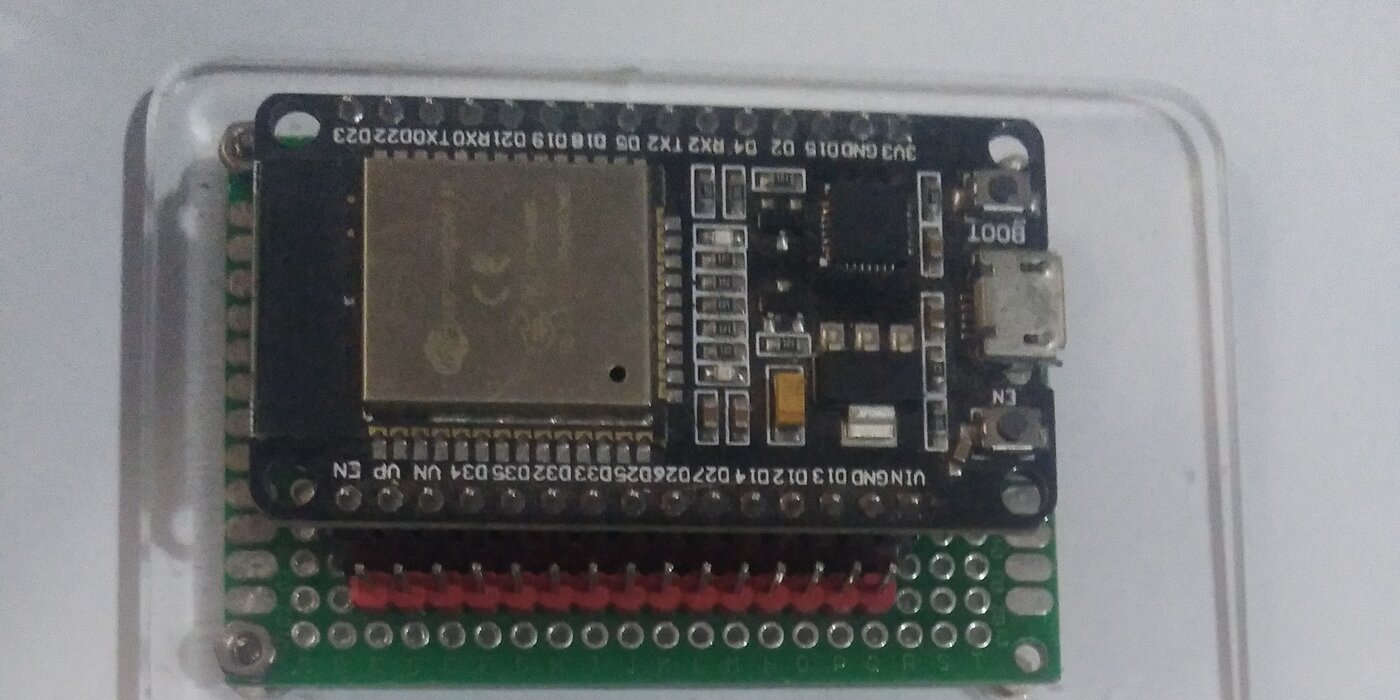
Plug it in, check what shows up. lsusb said Silicon Labs CP210x, which is a USB-to-serial bridge chip. Translation: the board has no real USB brain. It has a translator chip that turns USB into old-school serial wires, and it shows up as /dev/ttyUSB0. My user had no permission to touch it (the port belonged to group uucp, and I was not in it), so the first command of the project failed with permission denied. Classic. One group membership later, plus a logout, and we were talking.
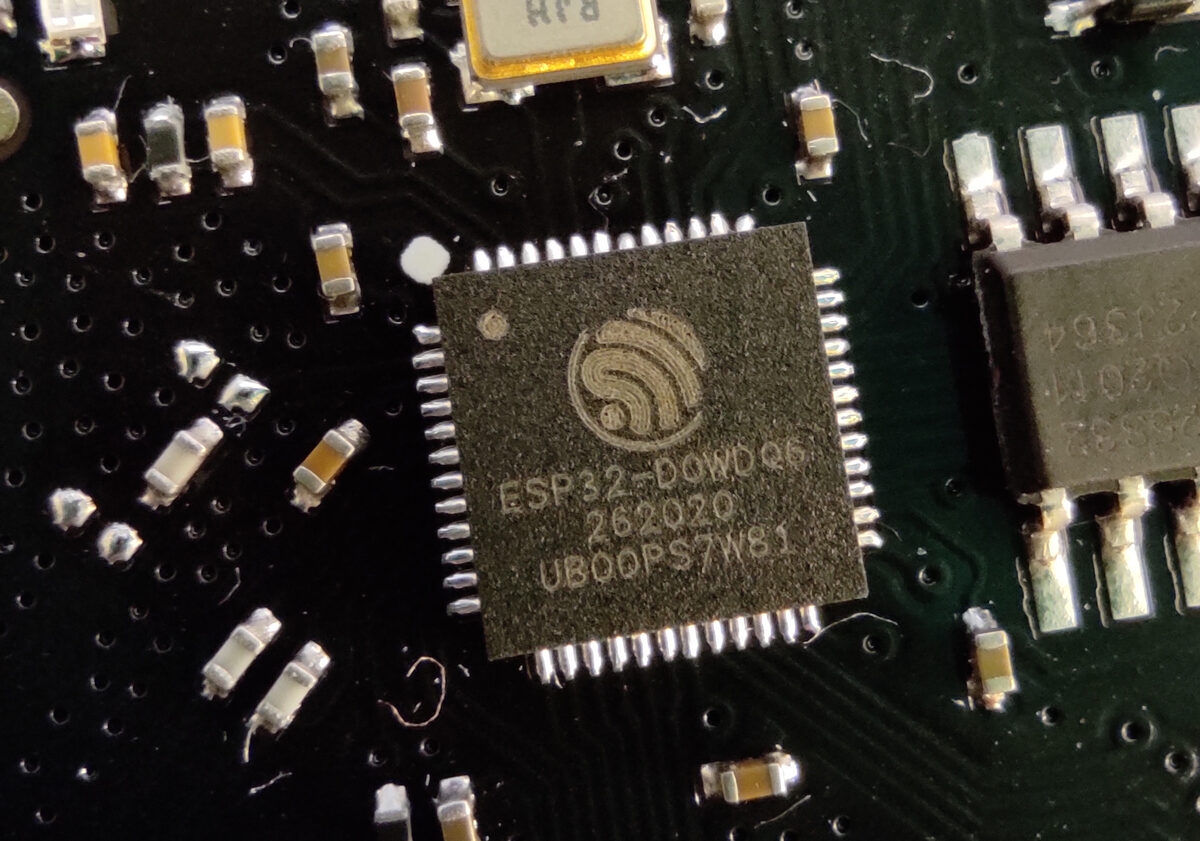
esptool chip-id came back with the board’s whole life story: ESP32-D0WD-V3, revision 3.1, dual core at 240MHz, WiFi plus Bluetooth, 4MB of flash, MAC address ending in e7:ac. There was one funny moment where the tool complained the crystal frequency looked wrong (15.55 MHz detected versus 26 expected) and the first flash attempt died. Second try worked. Cheap boards have character. lol.
The SDK lived in /opt/esp-idf, version 6.2, with both compilers (Xtensa for this chip, RISC-V for its cousins), esptool 5.5.0, and OpenOCD for debugging. A fresh install wants a few components fetched from the internet, and the first build happily went and got them.
Round two: whose wifi is it anyway
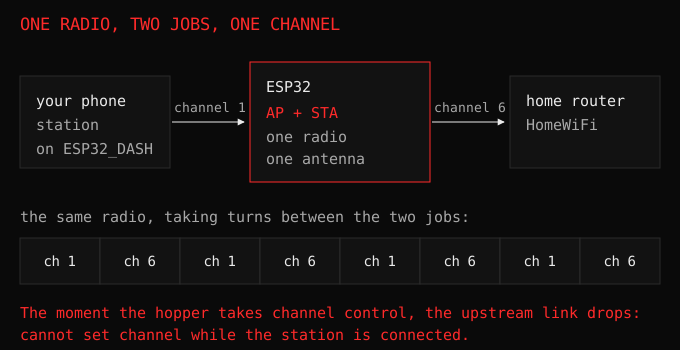
Nobody explains this part and it eats an evening. An ESP32 can do two opposite wifi jobs. In AP mode it is the network: it broadcasts a name, your phone joins it, the ESP serves pages at 192.168.4.1. In STA mode it joins a network like any laptop. It can even do both at once, which sounds great until you realize one radio is doing two jobs and everything gets flaky at the edges.
I built a dashboard: the board makes an AP called ESP32_DASH, and also joins my home wifi as a station with a static IP so I never have to hunt for it. Static because DHCP gives you a different address every other day and I am done playing hide and seek with my own hardware. It lives at http://192.168.0.50/. The wifi password goes in through environment variables at build time, never into the code, because this project might end up on GitHub and the internet does not need my wifi password.
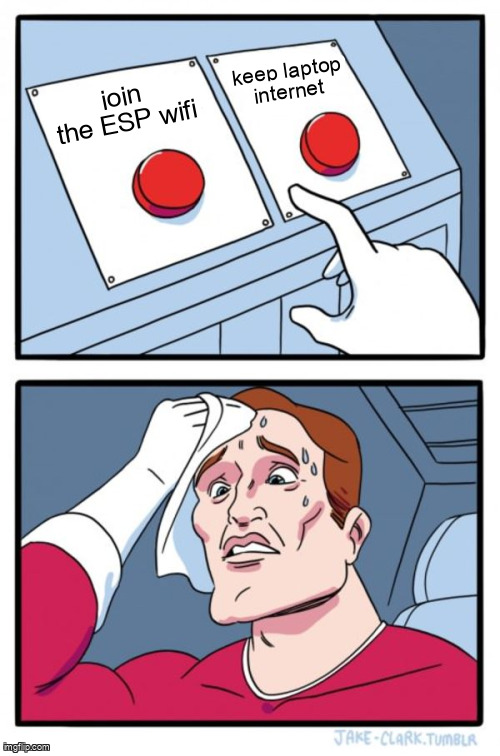
One rule ran the whole project: never connect the laptop to the ESP’s wifi. Joining it kills the laptop’s internet, and then you are debugging blind. The phone does the AP side. The laptop stays on home wifi and talks to the board over the LAN.
The phone had its own opinions though. Android sees a wifi network with “no internet” and quietly routes your traffic over mobile data instead. So you tap scan in the dashboard and it spins forever, because your HTTP request went to the cell tower instead of the $5 board in front of you. Turn off mobile data when testing. Took me longer than I want to admit.
CSS decision, since someone will ask. One small <style> block, handwritten, dark terminal theme. A phone sitting on the ESP’s offline AP cannot load external stylesheets at all, and the Tailwind CDN is a giant JavaScript blob for a microcontroller to serve. Constraints turn out to be design opinions with teeth.
Round three: going promiscuous
Normal wifi is polite. Your radio only listens to packets addressed to it and ignores the rest. Promiscuous mode is the opposite: listen to everything, write down what you hear. My laptop’s wifi card can barely do this. The ESP32 does it happily. That is the whole superpower, and everything interesting follows from it.
To understand what it hears, you need the envelope. Every wifi packet is an envelope with the same shape: two bytes of frame control saying what kind of letter this is, then three address slots (to, from, and the network they belong to), then the contents. That is really it. Three famous envelopes:
Beacons start with 80 00. Every router shouts its name about ten times a second: hi, I am HomeWiFi, I live on channel 8. That is why your phone’s wifi list fills instantly. It is not searching. It is being shouted at.
Probes are your devices being needy. Your phone walks around yelling “has anyone seen StarbucksWifi??” for every network it has ever joined, to strangers, constantly. The sniffer just writes down the names. Your phone is a gossip and the air is a hallway.
Deauths start with c0 00. They are breakup letters: this device is kicked off this network. The 26-byte template, annotated:
c0 00             <- frame control: type 0 (management), subtype 12 (deauth)
3a 01             <- duration (ignored, filler)
ff:ff:ff:ff:ff:ff <- addr1: target. broadcast means everybody.
02:11:22:33:44:55 <- addr2: who sent it (supposed to be the router)
02:11:22:33:44:55 <- addr3: which network this concerns
f0 ff             <- sequence number
02 00             <- reason code 2: previous authentication no longer valid
Read that again. Those bytes are unsigned, unauthenticated, and believed by default. Any radio can transmit them with anyone’s return address on them. That missing authentication is the entire insecurity of wifi deauthentication, and also the reason my lecturer finds it interesting, and also the reason the rest of this post exists.
I cloned ESP32 Marauder (a gigabyte of Arduino security firmware) for reference and ported the recon side natively into my ESP-IDF project: AP scan, a station table with MACs and signal strength, probe and beacon counters, EAPOL counting, and a channel hopper that sweeps 1 through 13 listening on each for a third of a second. Plus a deauth-burst alert, because the same sniffer that watches attacks can notice them.
The hopper taught me something about single-radio life. The moment it started hopping, the serial log filled with the same warning every 300 milliseconds: cannot set channel while the station is connected. Of course. One radio, two jobs. The fix is the Marauder way: when the sniffer starts, the station connection gets parked and reconnects on stop. Use USB serial while sniffing, read the web stats after. Physics does not negotiate.
I also ported Hydra-ESP’s per-BSSID deauth detector (ten or more deauths in one second from one source counts as an attack, which matches the folklore number) and a PMKID extractor. PMKID deserves its own paragraph because it is the cleverest boring thing in wifi security.
The coat-check ticket that cracks passwords
When your phone joins a WPA2 network, the router and phone do a four-message handshake. The first message contains an optional field called the PMKID. Think of it as the stub of a coat-check ticket: a blob derived from your wifi password, handed out freely to anyone listening, before any authentication happens. You do not need a client, and nobody has to be connecting. You only need to listen.
Inside the packet it hides in the key data section as a little labeled box: dd (vendor box), a length, then 00-0f-ac (this IEEE committee’s ID number, basically a brand sticker), then 04 (meaning PMKID), then 16 bytes of ticket. My code walks those boxes the same way Hydra’s frame parser does, saves any ticket it finds, and the dashboard shows it in hex, ready for hashcat mode 22000. Cracking your own password from your own ticket is the standard university exercise, and now the board collects the tickets by itself.
There is a joke in here that wrote itself. I verified the collector at home and it found nothing for days, because my router speaks WPA3, which has no PMKID at all. The sniffer worked perfectly. There was simply nothing to catch.
Oh, and BLE. The same chip speaks Bluetooth, so there is a passive BLE collector too: active scans asking nearby gadgets to introduce themselves, collecting MACs, names, and signal strength into the same dashboard. Five mystery devices live near me. None of them have names. Rude. The BLE side gets its own post, because a phone with Bluetooth on is a small radio station that never stops broadcasting.
Round four: the driver said no
Now the main event. My lecturer wanted deauth transmission for CTF work, on our own lab gear. I wrote the frame builder, pointed it at a nonexistent test address so it could hurt nobody, and the board answered:
E (59134) wifi: unsupport frame type: 0c0
deauth done: 0 frames
Zero frames out. yeah. The closed WiFi driver inspected my envelope, saw subtype 12, and refused. The API docs even say so, in writing: only beacon, probe, action, and plain data frames may be injected. Deauth was never officially allowed. It worked for years purely because nobody enforced the rule.
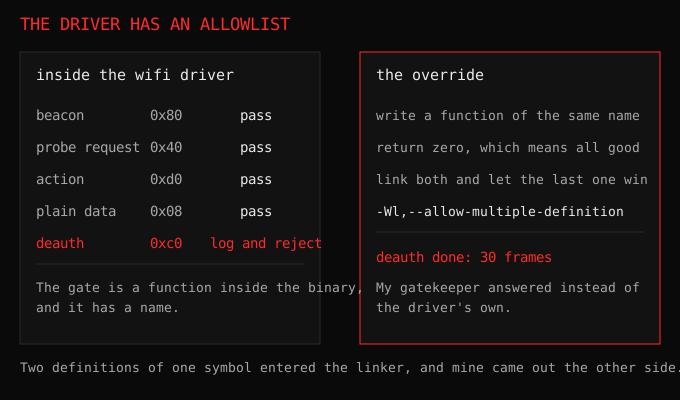
What followed was the most educational yak-shaving of my year. Somebody on the internet once beat this exact check with a trick: define a function with the same name as the driver’s internal gatekeeper, and the linker uses yours instead. Return zero, meaning all good, and frames flow. The function is called ieee80211_raw_frame_sanity_check and I have now stared at its disassembly longer than at some relatives.
First I tried the --wrap linker trick on IDF 5.1. Linked fine, changed nothing. Then I disassembled the actual gatekeeper with objdump and read Xtensa assembly by hand. It masks the frame’s first byte, checks the type bits (data frames go one way), then walks the management subtypes against an allowlist: beacons pass, probes pass, action passes, everything else falls into the log-and-reject pit. Deauth 0xC0 lands in the pit. Reading someone else’s compiled allowlist late at night is a strange hobby but I recommend it once.
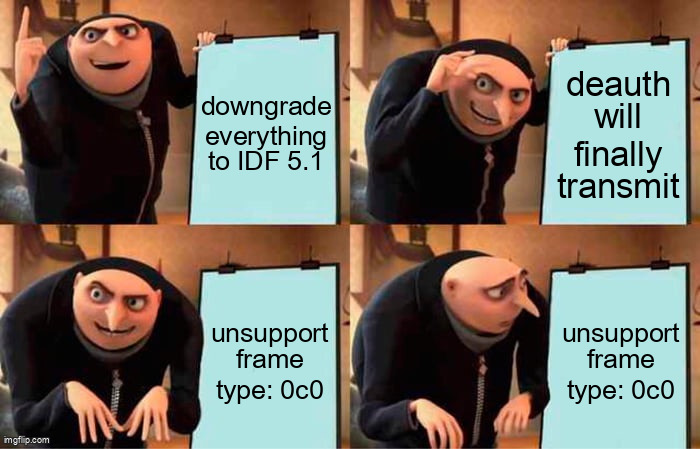
Then came the downgrade saga. Hydra pins IDF 5.1.2, so surely 5.1’s driver still allows it, right? I cloned all of IDF 5.1 (three gigabytes), installed its toolchains, ported the entire project across the version gap (the GPIO component got renamed, the console REPL API is different, the C standard dropped from 23 to 17 which broke a header missing an include), flashed it, fired the test. Rejected. Same error, same zero frames.

So I did what I should have done first: I checked the actual binary. Pulled 5.1.2’s exact pinned wifi library, ran nm on it properly, and found the gatekeeper symbol sitting right there, plus the rejection string. Hydra’s bypass cannot work on 5.1.2 either. Their deauth feature is dead code that compiles. I had told my readers the opposite two sections ago, in a previous draft of this post. This is the correction.
The ending surprised me. Back on IDF 6.2, I tried the other linking trick instead of --wrap: --allow-multiple-definition, so my always-approve gatekeeper wins by link order. Rebuilt, reflashed, fired at the fake address:
deauth done: 30 frames
Thirty out of thirty. The station reconnected by itself afterwards like nothing happened. Nothing needed patching, and the SDK downgrade had been pointless from the start. The linker simply honoured my symbol over the driver’s own. The whole 5.1 detour was unnecessary, which is exactly the kind of thing you only learn by taking the detour.

What the board does now
One ESP32, one dashboard at a static address, one USB console. The dashboard grew a numbered flow, because the order of operations is the part that trips people: scan for networks, start the sniffer, read the stations it finds, then pick a target off that list and send a deauth at it. The target used to be a text box asking for forty hex characters. Now it is a button next to the access point you just scanned, with the BSSID filled in for you.

Alright. The claim I made in the first draft of this post, that attacks never touch HTTP, stopped being true, and the honest version is more useful than the tidy one. Deauth now has a web endpoint as well as the console command. GET /api/deauth takes a BSSID, a channel, and optionally a client address and a burst count, and it will only fire when the query carries yes=1 and you confirm it in the browser. The board is still not reachable from the internet, the endpoint still refuses without that flag, and the burst runs 300 milliseconds after the HTTP reply is sent, so the response survives the station dropping its own association.
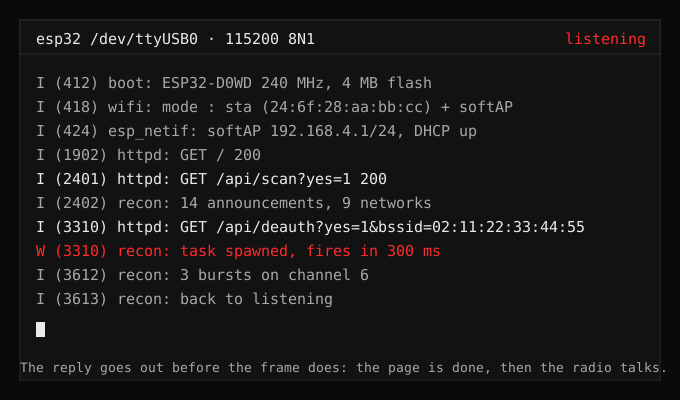
The rest of the picture: the safe commands on a web page you can drive from your phone, the destructive one behind an explicit yes, and the serial console for when you want to type. Web side: the numbered flow, the scan cache shared between both interfaces, station and sniffer tables, BLE devices, the packet-rate graph, deauth alerts naming the BSSID, and PMKID captures. USB side: scan, status, led, stations, sniff, ble, beaconspam, wifi, reboot, and the lab-gated deauth.
The two LEDs, since someone will ask: one red power light that means electricity, one blue user light on GPIO2 that my code actually drives. Type led on and go look at it. Small joys.
“The only winning move is not to play.”, WarGames (1983). Me, reading the driver source instead of fighting it. Eventually.
Try this in your lab
Get any ESP32 devkit and an IDF install. Join your own AP with a spare phone, run the sniffer, watch your phone’s probes and beacons show up with signal strength. That part needs no permission from anyone because the air around you is already shouting. Then read one raw frame byte by byte against the envelope layout above until the hex stops looking like noise. Then, on your own gear with your lecturer’s blessing, try the lab commands and watch the detector you built catch the attack you launched. There is no better way to learn a protocol than to forge it and detect yourself doing it.
What I would do differently
Three things, in order of how much time they cost me.
Check the binary before writing a word about it. I published the claim that Hydra’s bypass worked on 5.1.2 before running nm on that exact library, and the correction now sits in the middle of this post as a paragraph where a fact should have been.
Test the link flags instead of the story you want to tell. --wrap and --allow-multiple-definition are one line each to try. I tried them in the wrong order for reasons that made sense at midnight and nowhere else.
Start with the smallest workspace that reproduces the problem. Three gigabytes of IDF 5.1 to chase one symbol that a one-minute nm would have shown me.
The CC1101 sub-GHz module is still in the mail (waiting on jumper wires, the least glamorous bottleneck in radio history), so part two will be 433 MHz weather stations and remote controls. The board hears wifi and Bluetooth today. Soon it hears everything else too.