/// WHAT AN OPERATING SYSTEM ACTUALLY DOES
What an Operating System Actually Does
Study notes, plain version: your OS is a stressed manager juggling liars. Processes, scheduling, memory.
I am taking operating systems this semester, and the textbook reads like it was written by the scheduler itself: efficient, joyless, technically correct. So these are my notes, translated into human. Same facts, fewer footnotes, one joke per page.
Your OS is a middle manager
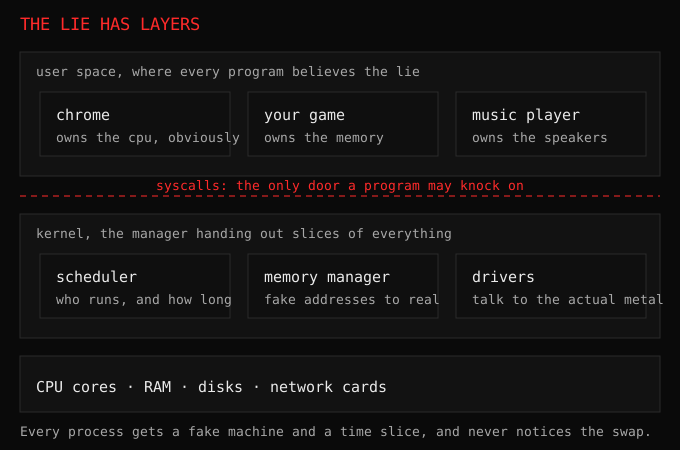
Every program on your computer believes it owns the machine. Chrome thinks the CPU is its CPU. Your game thinks the memory is its memory. Both are wrong. The operating system sits between lying programs and finite hardware, handing out slices of CPU time so fast that everyone believes the lie. That illusion is the entire job.
Processes are just programs with paperwork
A program on disk is a recipe. A process is that recipe being cooked right now, with its own countertop space (memory), its own ingredients (open files), and a bookmark showing which step it is on. Your OS tracks hundreds of these at once. When people say “kill the process,” they mean throw away that cooking session.
Scheduling is sharing one stove
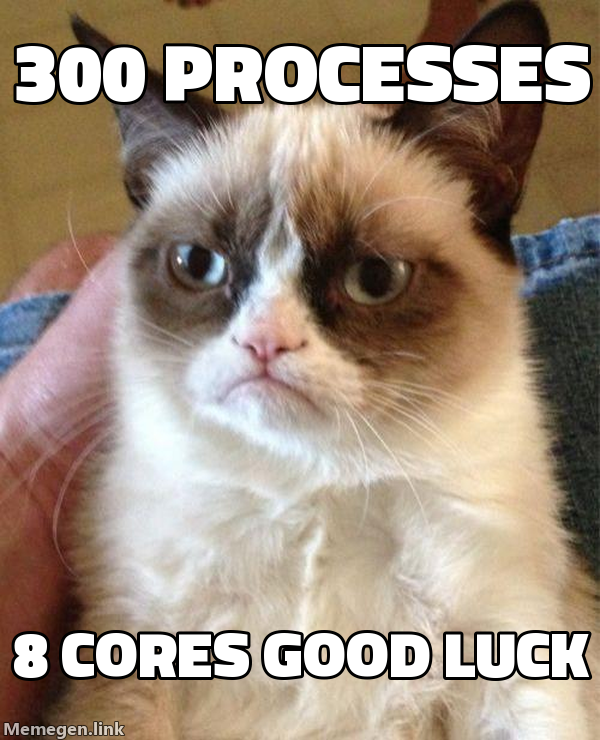
You have maybe 8 CPU cores and 300 hungry processes. The scheduler decides who cooks next and for how long, switching dozens of times per second. It is gloriously unfair on purpose: your music player gets served instantly so songs never stutter, while a background update waits its turn. Every stutter-free song you have ever heard is the scheduler doing its job invisibly.
Memory is an apartment building
Each process gets its own apartment and is told it owns the building. The OS maps fake addresses to real ones behind the scenes, so a crashing app demolishes only its own apartment instead of the block. That trick, virtual memory, is why one bad tab kills a tab instead of the computer.
Deadlocks: two polite programs, frozen forever
My favorite OS concept is the deadlock, because it is pure comedy. Program A holds the printer and waits for the scanner. Program B holds the scanner and waits for the printer. Both wait forever, perfectly polite, perfectly stuck. Like two people insisting “no, you first” in a doorway until the building closes.
Operating systems prevent this with rules about ordering: always grab resources in the same sequence, or allow the manager to snatch one back. Every frozen app you have ever force quit was probably a deadlock wearing a trench coat. Now you know its name, and naming things is half of understanding them.
Why this class rewired my brain
I used to see my laptop as one thing running my stuff. Now I see a negotiation: hundreds of processes demanding everything, one manager saying no at gigahertz speed. Every homelab crash I have ever had makes more sense through this lens. Study notes that pay rent twice: exams and real life.