/// WATCHING YOUR OWN AIR: ROGUE ACCESS POINTS AND EVIL TWINS
Watching your own air: rogue access points and evil twins
A rogue access point is not exotic hardware. It is a five-dollar board wearing your network name. What to watch for, and the popular claim I had to drop when I checked it.
Recon gives you a table of every radio in range. This post is about the one entry that should not be there.
It is the wifi equivalent of finding a second front door on your house, with a welcome mat that has your name on it.
A rogue access point is any access point that is not part of your inventory. There are two shapes of it. The boring one is a real access point, plugged into your network, that nobody documented, usually a spare router someone enabled because the wifi was slow. The interesting one is not on your network at all: it is a second radio wearing your network’s name, broadcasting to your devices, waiting for them to join it.
Why a device joins an impostor
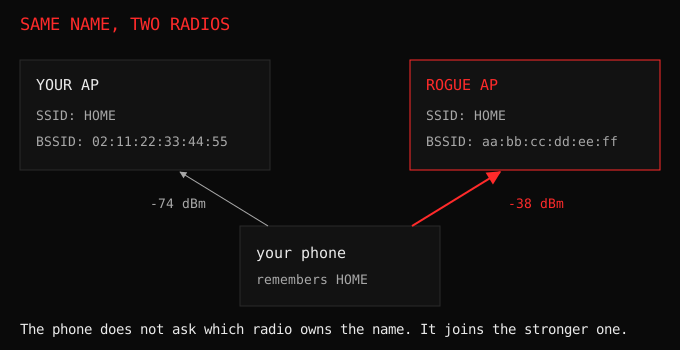
Devices remember networks. A phone that has joined your wifi keeps the name, and it reconnects on its own the next time it sees that name, without asking. That auto-join is the entire attack surface.
The impostor does not need to break anything. It needs the name your device already trusts, and a signal at least as strong, because most devices pick the best signal with the right name. If the impostor matches the name and the security type the device remembers, the device can join silently. If the security differs, the device may prompt or refuse, which is the one thing that makes life harder for the attacker and the reason a “Free Airline Wifi” with no encryption is usually joined knowingly.
The classic elaboration answers probe requests for networks it does not own. Your phone asks “is HomeWiFi here”, the impostor answers “yes, that is me”, and now it is on your device’s list of answers. This is the older KARMA-style trick, and it is why your phone announcing the networks it remembers is a security problem on top of being a privacy one.
Once your device joins, the game is the login page. The impostor serves a portal that looks like a hotel, an airport or a company page, and waits for you to type a password into it. That page is a captive portal, and building one is a weekend project.
The claim I had to throw away
When I first drafted this post I wrote that WiFi 6 hides your network names from probe requests. It sounded plausible and it is wrong.
Management frame protection in WPA3 protects frames after the handshake, and probes happen before any key exists, so there is nothing to protect them with. Probe requests still carry the names your phone remembers, still in the clear.
What phones actually did about probe privacy is randomise the address, not the name. A probe request has gone out from a random hardware address since iOS 8, and since Android 10 and iOS 14 the address the device uses while connected is randomised per network as well. That is the whole deployed fix: not “stop saying the name”, but “make the name harder to tie to a person”. Researchers have proposed stripping probe requests down and hashing the names, and your phone does not do either.
So the name in the probe is still enough to attract an impostor, and the rotating address is still stable enough to be followed. Two different weaknesses wearing one word: privacy.
Turning the table into a detector
The boring baseline earns its keep here. Your recon table, kept for a week, is a list of what your air normally looks like. Detection is then arithmetic:
- One SSID with more BSSIDs than you have radios. You own one router, you see three radios with your name, and you did not add two.
- A BSSID you have never seen before appearing with a strong signal, especially on a channel your own AP does not use.
- A vendor prefix that does not match your hardware. Cheap impostors announce themselves with the chip on the board.
- A twin whose security settings differ from yours. If your network is WPA3 and the second radio with your name is open or WPA2, that is a downgrade lure.
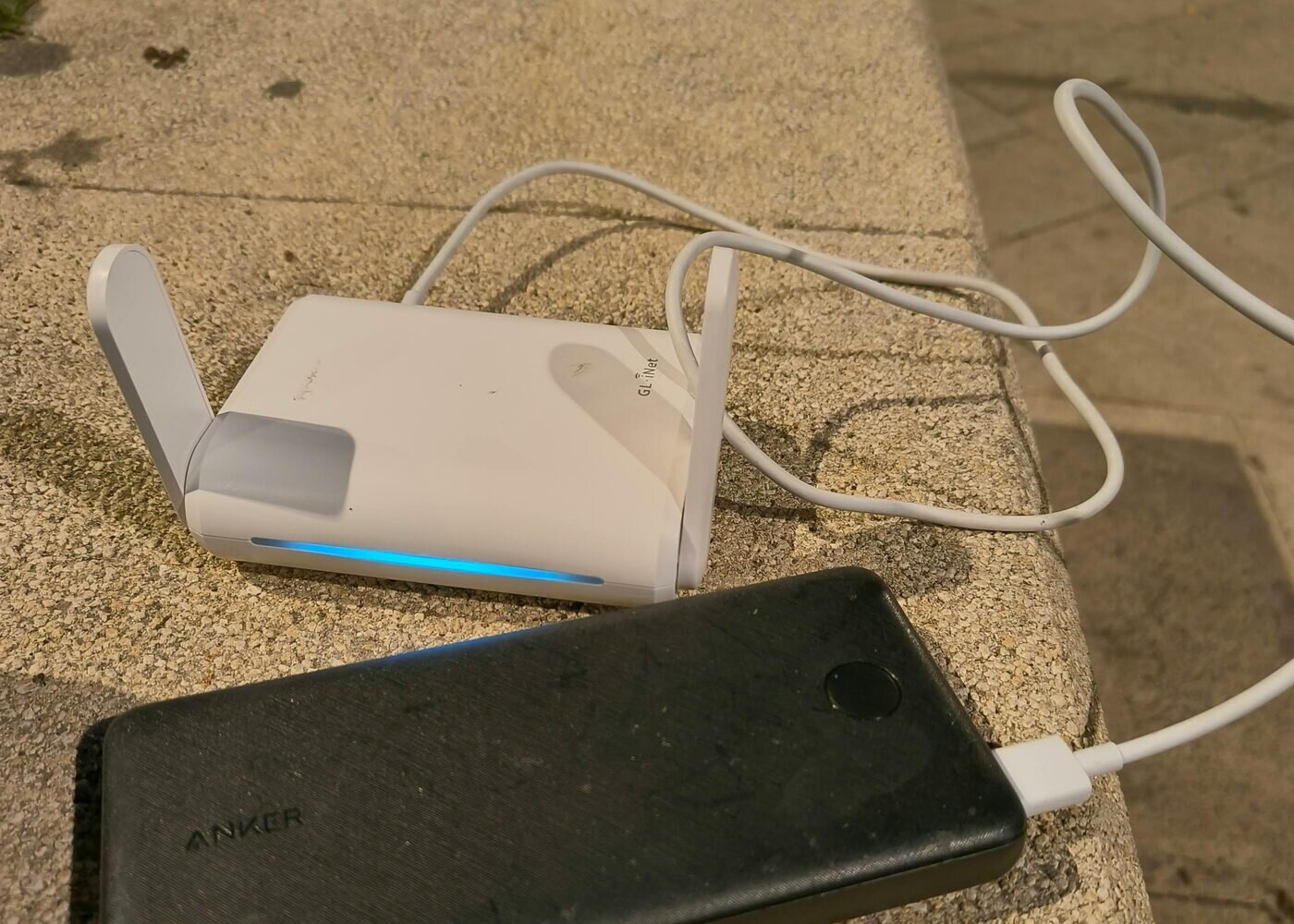
None of this needs a fancy tool. It needs you to have looked at normal first, which is the only reason the ESP32 sitting on my desk is useful for defence at all.
“It’s a trap!”, Admiral Ackbar, Star Wars (1983). Me, looking at the second access point broadcasting my network name.
Try this
Scan your own space and count the BSSIDs for each SSID. If any name your devices know is being broadcast by more radios than you own, look at those radios. Then build the twin yourself: put your ESP32 in AP mode with the same name as your home network, watch a spare phone walk into it on its own, and watch your own scan find the impostor. You learn the attack and the defence in the same afternoon, on hardware you own.
If your device has ever auto-joined something you did not choose, the frame doing it is in 802.11 frames you can read.