/// WHAT YOUR SMART TV SAYS AT 3 AM
What Your Smart TV Says at 3 AM
Your network is talking about you. Wireshark is how you listen.
Wireshark does not ease you in. My first capture was a wall of packets, and I understood zero of them. It looked like a spreadsheet had a panic attack. Three filters later, it looked like a spreadsheet with a therapist. The panic turned into a reading list.
I wish someone had handed me this version on day one.
Capture everything, then filter like you mean it
Start a capture on your WiFi interface and you will see hundreds of packets per second. Do not read them. You would be drinking from a firehose. Learn three filters on day one. ip.addr == x.x.x.x shows one device. dns shows name lookups. http shows unencrypted web traffic. Ninety percent of beginner questions die to one of these three.
Follow the stream and read the conversation
Right click any packet, hit Follow TCP Stream, and Wireshark reassembles the whole conversation into readable text. Scattered packets become a chat log. This is how you read what your smart TV says at 3 AM, or confirm your app actually sends what you think it sends. One click, total clarity.

DNS is the diary
Before your device talks to anyone, it asks DNS for directions. The DNS log is a diary of everywhere your network wanted to go. Filter dns for one minute and read it. Trackers, telemetry, update checks, all confessing in plain text. If you take one habit from this post, take this one.
Red and black are not alarms
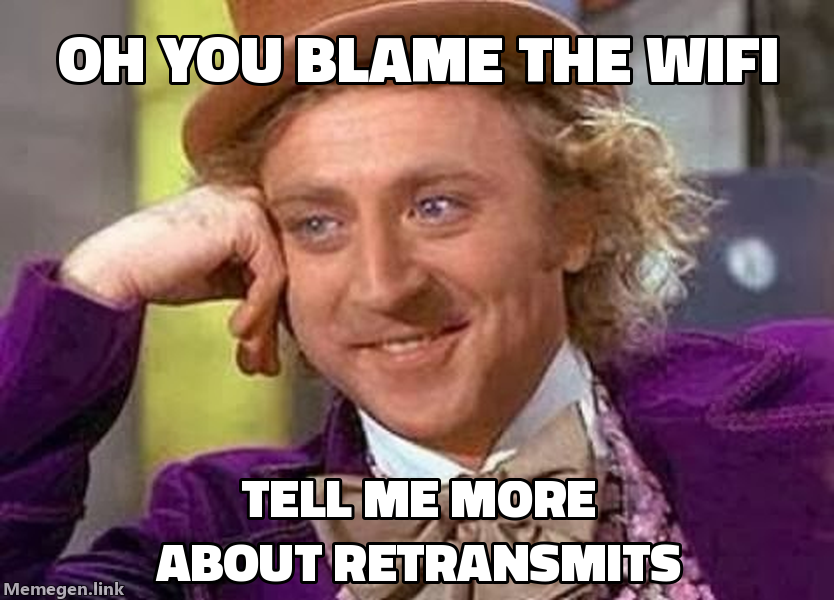
Wireshark paints some packets red or black and beginners panic. Those colors mark retransmits and errors, which usually mean congestion, not hackers. Slow evening WiFi shows up as a sea of retransmits. The colors are clues, not alarms. Read them, do not fear them.
Encrypted traffic still talks
Most traffic today is encrypted, which means you cannot read the contents. Beginners quit here. Do not. Encryption hides what was said, not who talked to whom, for how long, or how much was said. DNS names, timing patterns, and packet sizes leak plenty. You can spot a video call versus a file download without decrypting a single byte. Metadata is data wearing a thin disguise.
Wifi frames have their own names
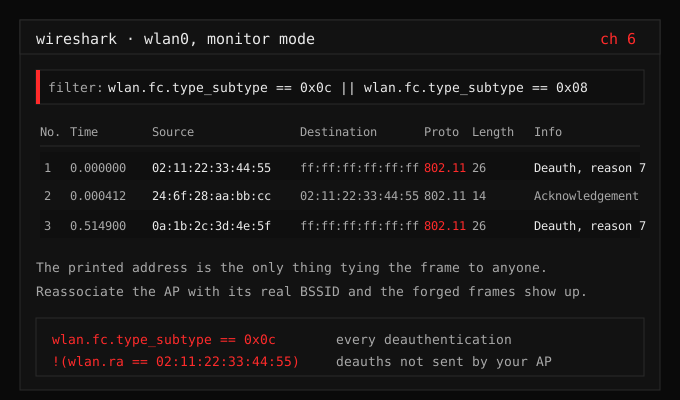
The tips above live at IP and higher. Wifi sits one layer below, and Wireshark reads 802.11 just as well when the capture comes from monitor mode or my ESP32. Four display filters cover most of it: wlan.fc.type_subtype == 0x08 for beacons, 0x05 for probe responses, 0x0c for deauth, and eapol for the handshake. Add wlan.addr == aa:bb:cc:dd:ee:ff to follow one radio, or wlan.ssid to sort by network. Colour the deauth filter red and you have a live intrusion alarm sitting in the packet list.
Never capture traffic that is not yours
Your network, or explicit permission. Packet sniffing on networks you do not own is illegal in most places and unethical everywhere. The rule is the same for every post here, and it lives at the lab rules. The lab teaches the same lessons with zero risk.
“I see dead packets.”, me, misquoting The Sixth Sense (1999) every time I open a capture. My friends are tired. I am not stopping.
The pattern
Capture everything, filter ruthlessly, follow streams, read DNS, and stay on your own network. An hour of this teaches more networking than a week of tutorials, because it is your traffic, your devices, your answers.
The network has been talking the whole time. Wireshark just turns the volume up.